Show me:
Just tell me what to press.
How it plugs in
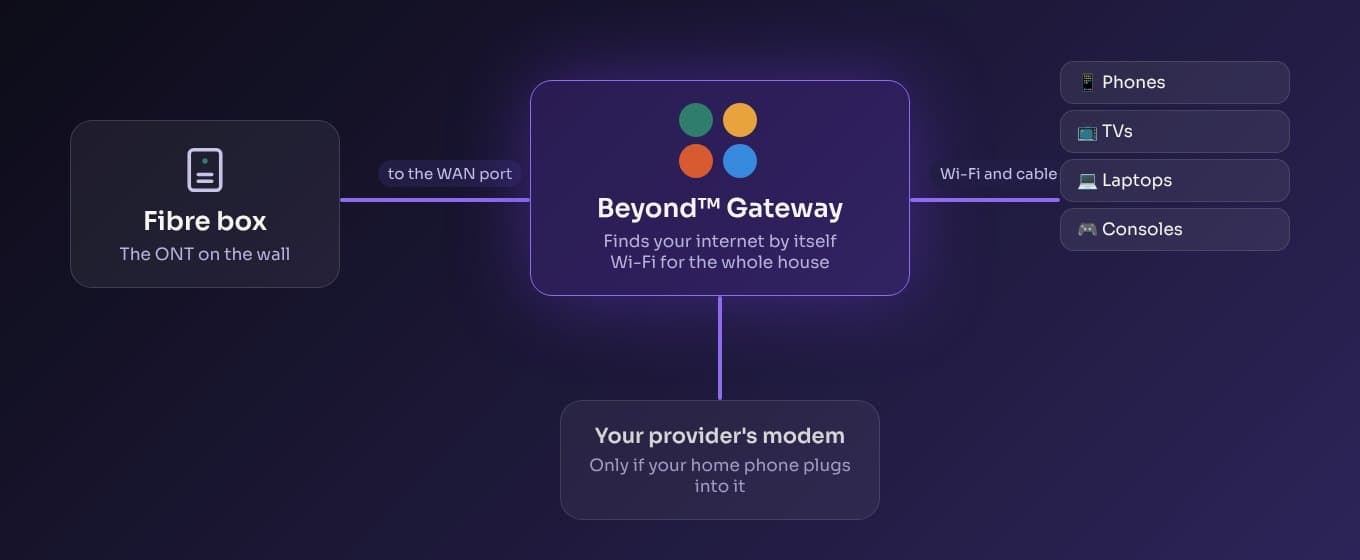
On New Zealand fibre, the box on the wall is separate from your provider's router. Beyond takes the router's place. Your internet plan stays exactly the same, and your old router goes in the cupboard, ready if you ever want it back.
Which router have you got?
Four steps, about ten minutes, with a laptop and a cable. Pick your router and we hand you the right file.
GL.iNet Flint 2 (GL-MT6000, on the sticker underneath). Most homes. The one we recommend.
Plug in the fibre box and set it up on your phone
Plug the cable from the fibre box on the wall into the router's WAN port. On your phone, join the Wi-Fi called Beyond Setup and open
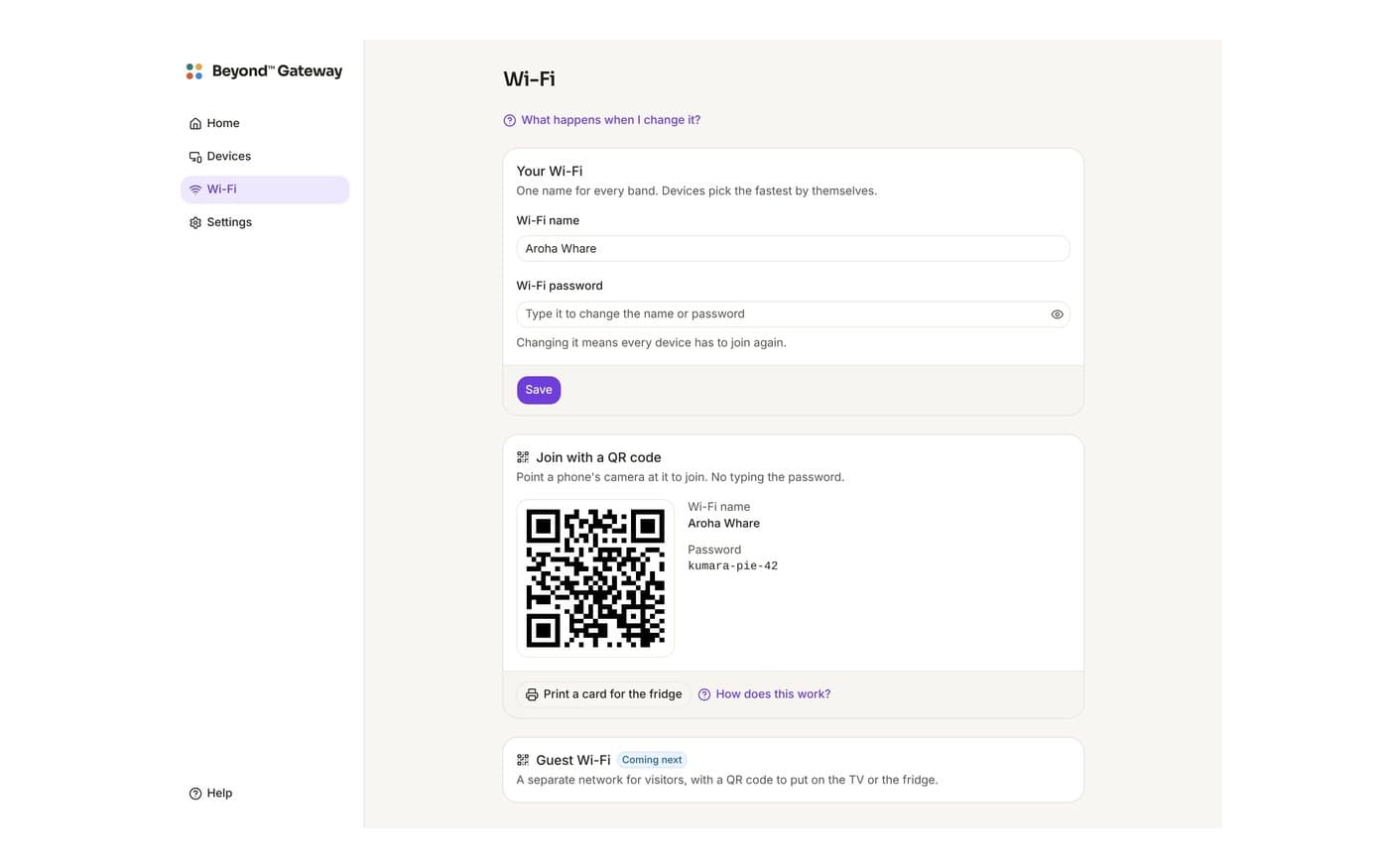
beyond.lan. It finds your internet by itself. Use your old Wi-Fi name and password, capitals and all, and every device in the house rejoins without you touching it.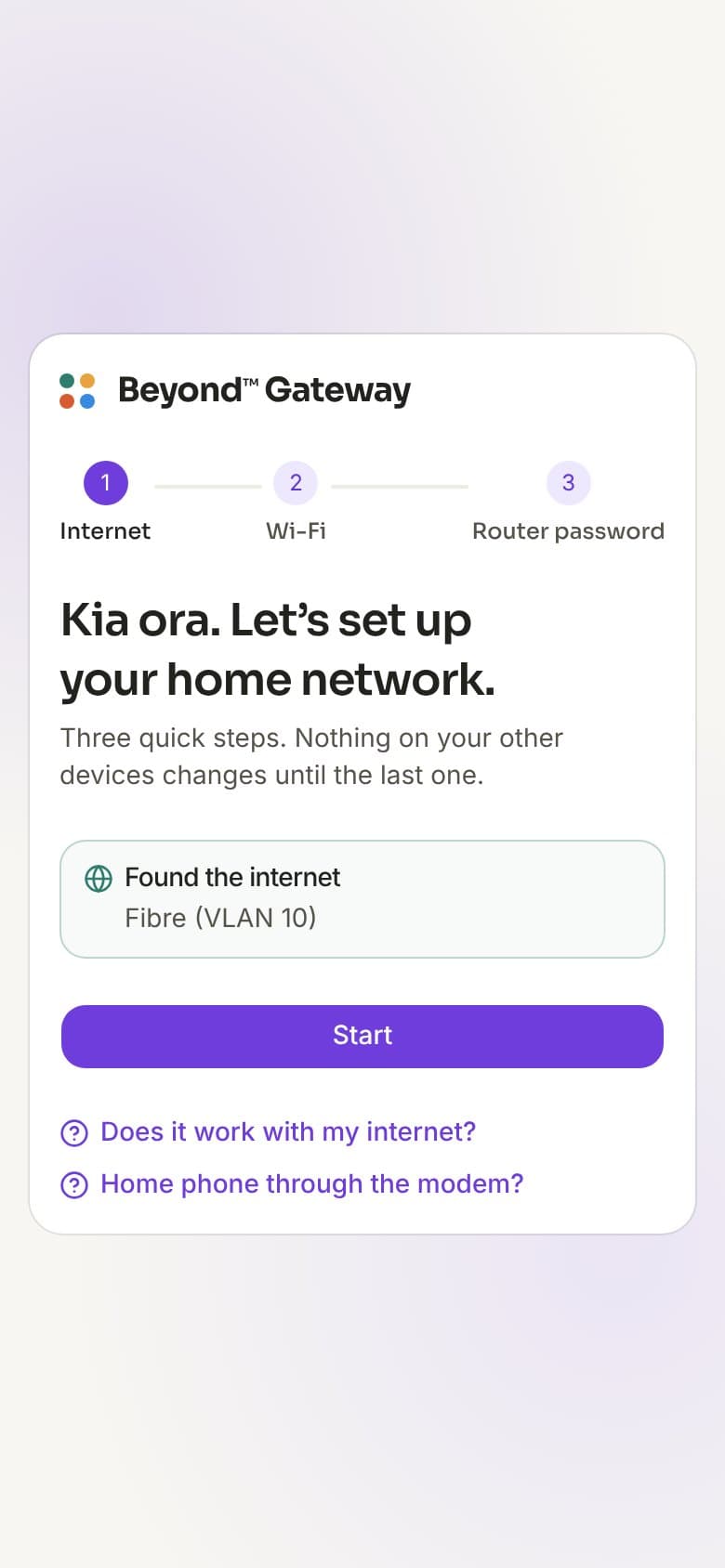
Unplug the fibre box's cable from Beyond and plug it into your old router. That's all. Nothing about your internet plan changed.
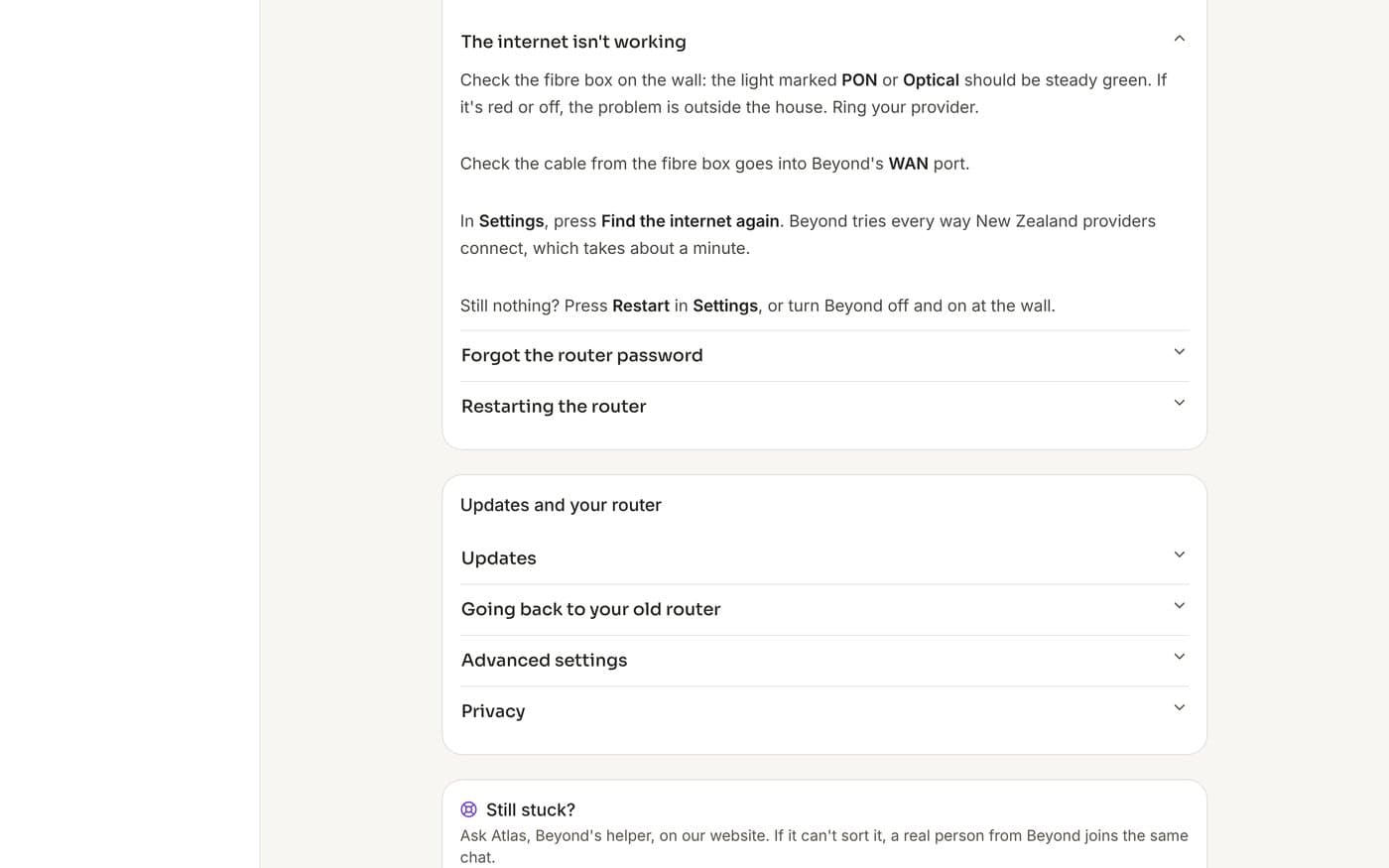
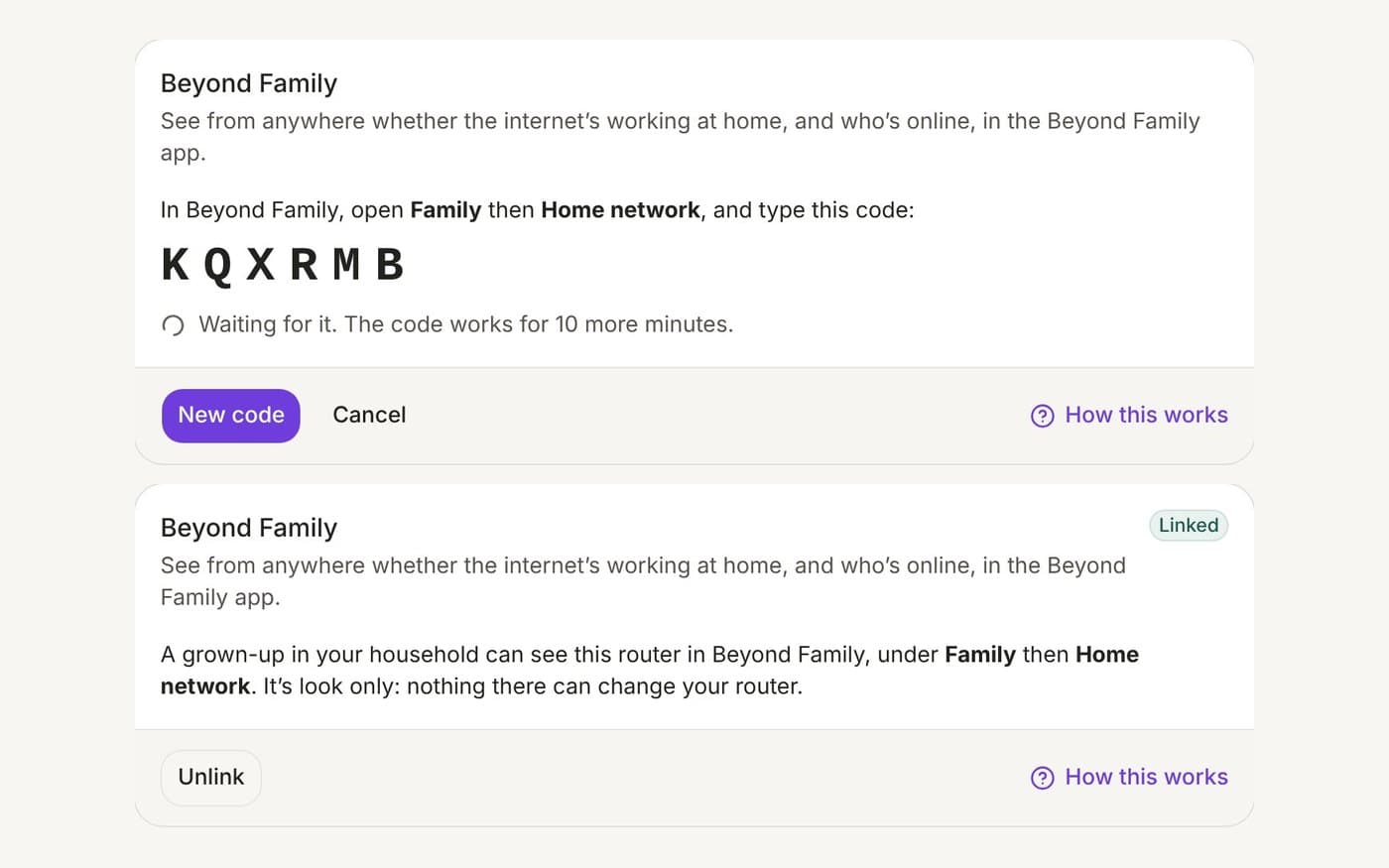
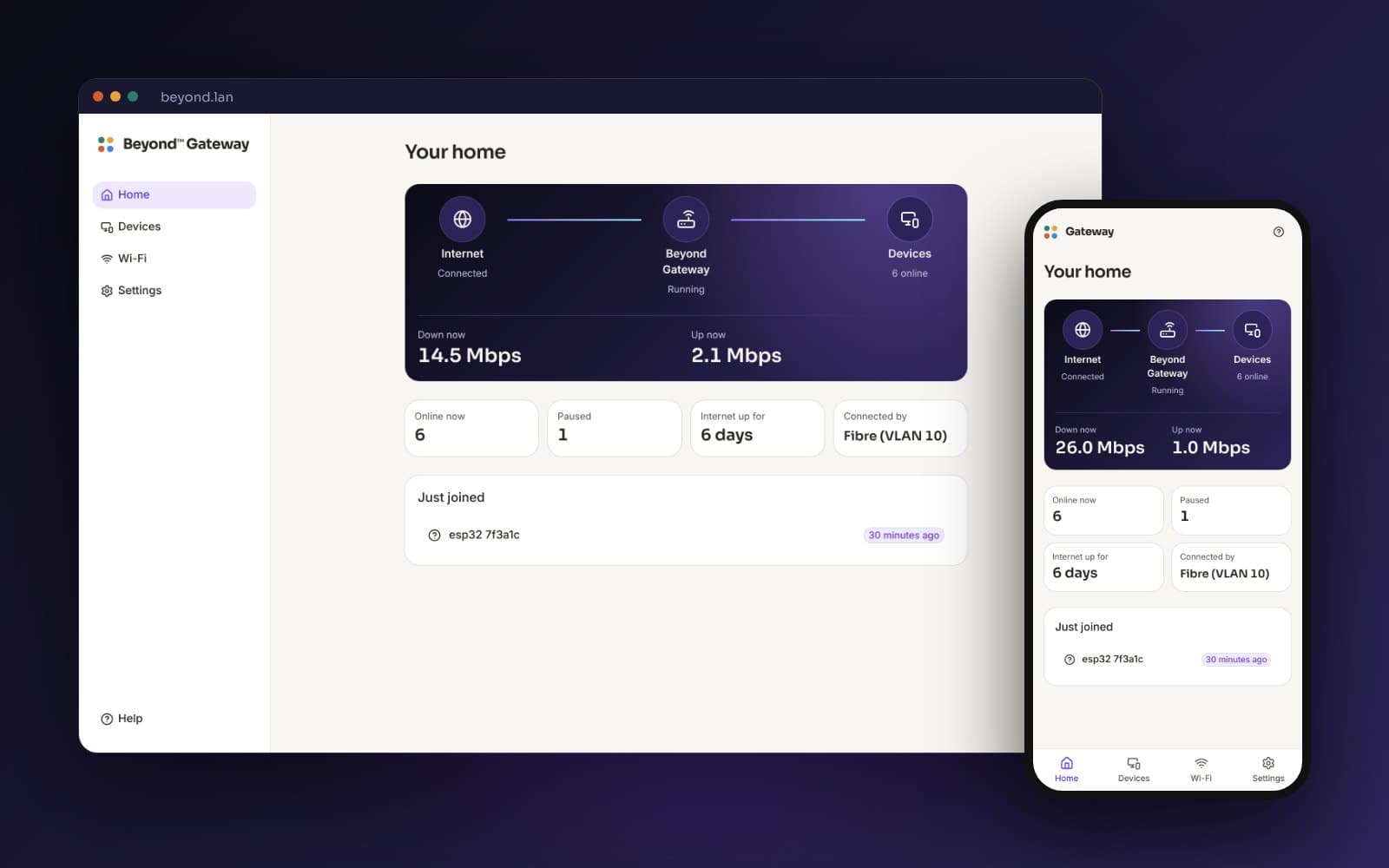
What it looks like
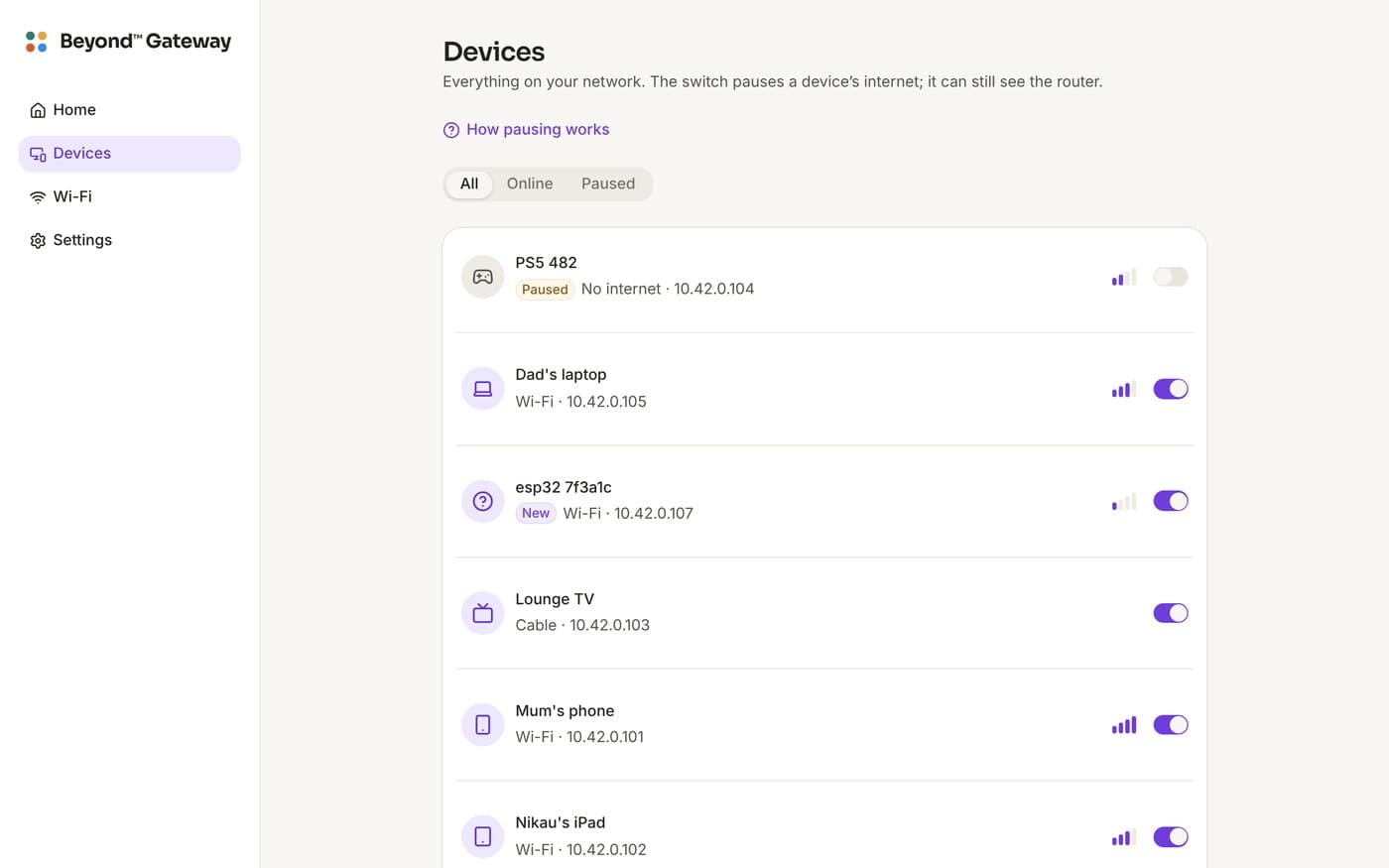
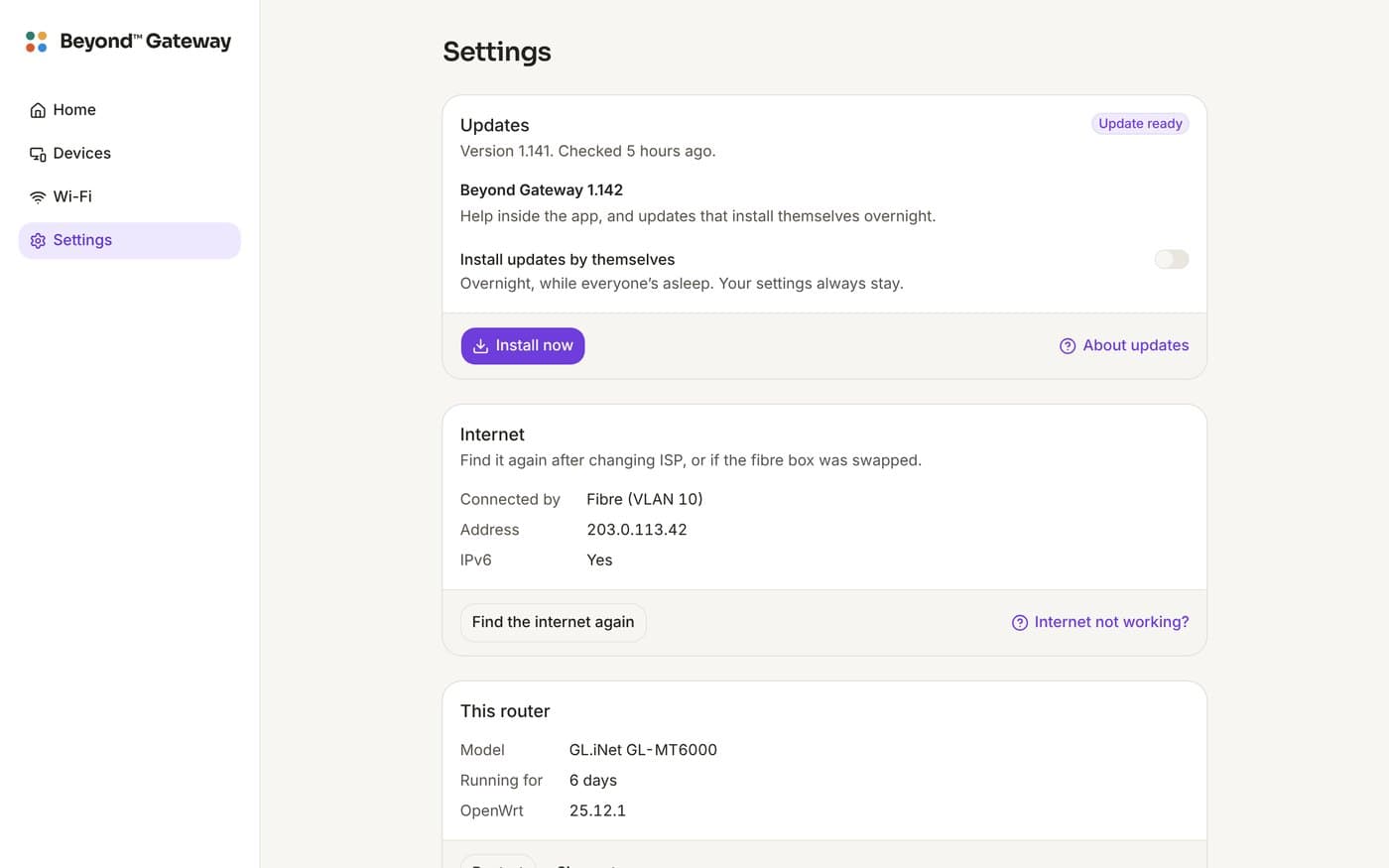
One calm app on your phone or laptop, with help on every screen. It keeps itself up to date overnight.
What you get
How to install
The full guide, straight from the code. Untick keep settings when you flash, and the way back is always one cable away.
About ten minutes. You need a supported router, a laptop, and a cable.
GL.iNet Flint 2 and Beryl AX
These run GL.iNet's own system out of the box, which has an Upgrade page that takes Beyond's file directly.
Download Beyond for your router from the latest release (or one click at gobeyond.nz/gateway):
- Flint 2 (GL-MT6000):
beyond-gateway-glinet_gl-mt6000-sysupgrade.bin - Beryl AX (GL-MT3000):
beyond-gateway-glinet_gl-mt3000-sysupgrade.bin
- Flint 2 (GL-MT6000):
- Plug a laptop into the router with a cable, power it on, and open
192.168.8.1. Set GL.iNet's admin password if it asks (you won't need it again). - Upgrade. System → Upgrade → Local Upgrade. Choose the file, untick *Keep Settings, and press Install*. Don't unplug it: it restarts as Beyond Gateway in about three minutes.
- Plug the cable from the fibre box into the WAN port. Join the Beyond Setup Wi-Fi on your phone, open
beyond.lan, and follow the three steps.
Not yet tried on a real Flint 2: the first one is the test. If anything goes wrong, see Going back.
OpenWrt One
- Download
beyond-gateway-openwrt_one-sysupgrade.itb. - Open its OpenWrt page at
192.168.1.1, then System → Backup / Flash Firmware → Flash image, choose the file and untick *Keep settings*. - Plug in the fibre box and follow the three steps at
beyond.lan.
Already running Beyond Gateway?
You never need to do this again: Settings → Updates installs new versions and keeps your settings.
Routers
Beyond is built for these routers. Each has a 2.5 Gb WAN port, so Hyperfibre plans work too.
| Router | Good for | Wi-Fi | Install |
|---|---|---|---|
| GL.iNet Flint 2 (GL-MT6000) | Most homes. The one we recommend | Wi-Fi 6 | GL.iNet's Upgrade page |
| GL.iNet Beryl AX (GL-MT3000) | Flats, baches and travel | Wi-Fi 6 | GL.iNet's Upgrade page |
| OpenWrt One | People who like to tinker. Made by the OpenWrt project | Wi-Fi 6 | Its own OpenWrt page |
Runs OpenWrt, no Beyond build yet: ASUS TUF-AX4200, ASUS RT-AX59U, Xiaomi AX3000T, Cudy WR3000 (v1), TP-Link Archer AX23 (v1), D-Link DIR-X1860 (B1), Banana Pi R4. Ask for one at gobeyond.nz/gateway and we'll look at it.
Can't run it: your provider's router (Spark Smart Modem, One NZ Ultra Hub, 2degrees and the rest have locked software the provider can overwrite at any time), Netcomm NF18ACV and NF8AC, Huawei HG659, ASUS DSL-AC68U, TP-Link Archer AX10, AX1500, AX55 (AX3000), AXE75 and C9, TP-Link Deco X55, ASUS RT-AX86U Pro, RT-AX3000 and RT-AX58U, and Netgear Orbi RBR350. None of these are in OpenWrt, so nothing can be put on them safely.
Checked against OpenWrt 25.12's own source on 22/10/2026. A router with a model "version" (v1, v3, B1) is only supported in that version: it's on the sticker underneath.
Good to know
What's coming
The plan, in order. The guide above says what works today.
- Per-person Wi-Fi passwords. Each kid joins with their own password, so a pause follows them even if they change their phone's settings.
- New devices wait for a grown-up. Anything new joins a waiting list until someone says yes.
- Beyond Family, managing. Seeing the router from Beyond Family is here (look only). Next: pausing a device from your phone, grown-ups only, with an email on every change.
- Guest Wi-Fi with a QR code for the TV or the fridge.
- Beyond Shield: ads and scam sites blocked for the whole house.
- A second router as a mesh point for big houses.
We set it up, you plug it in
Rather not touch a laptop? Tell us about your home and we will be in touch about setting one up for you, with Beyond Gateway already on it and ready for your Wi-Fi name and password.
The software stays free, always.
Ask us
A real person replies, usually within one working day, and it costs nothing to ask.
Stuck, or got a question? We will help.
Atlas, our assistant, answers from the same guide as this page and the help inside the router. If it cannot sort it, a real person from Beyond steps into the same chat.
Beyond™ Gateway is free and open source (GPL-3.0), built on OpenWrt (GPL-2.0). Not affiliated with GL.iNet, the OpenWrt project or any internet provider; names belong to their owners. Router support checked against OpenWrt 25.12's source on 22/10/2026. Guide checked 23/10/2026, 12:28 pm.